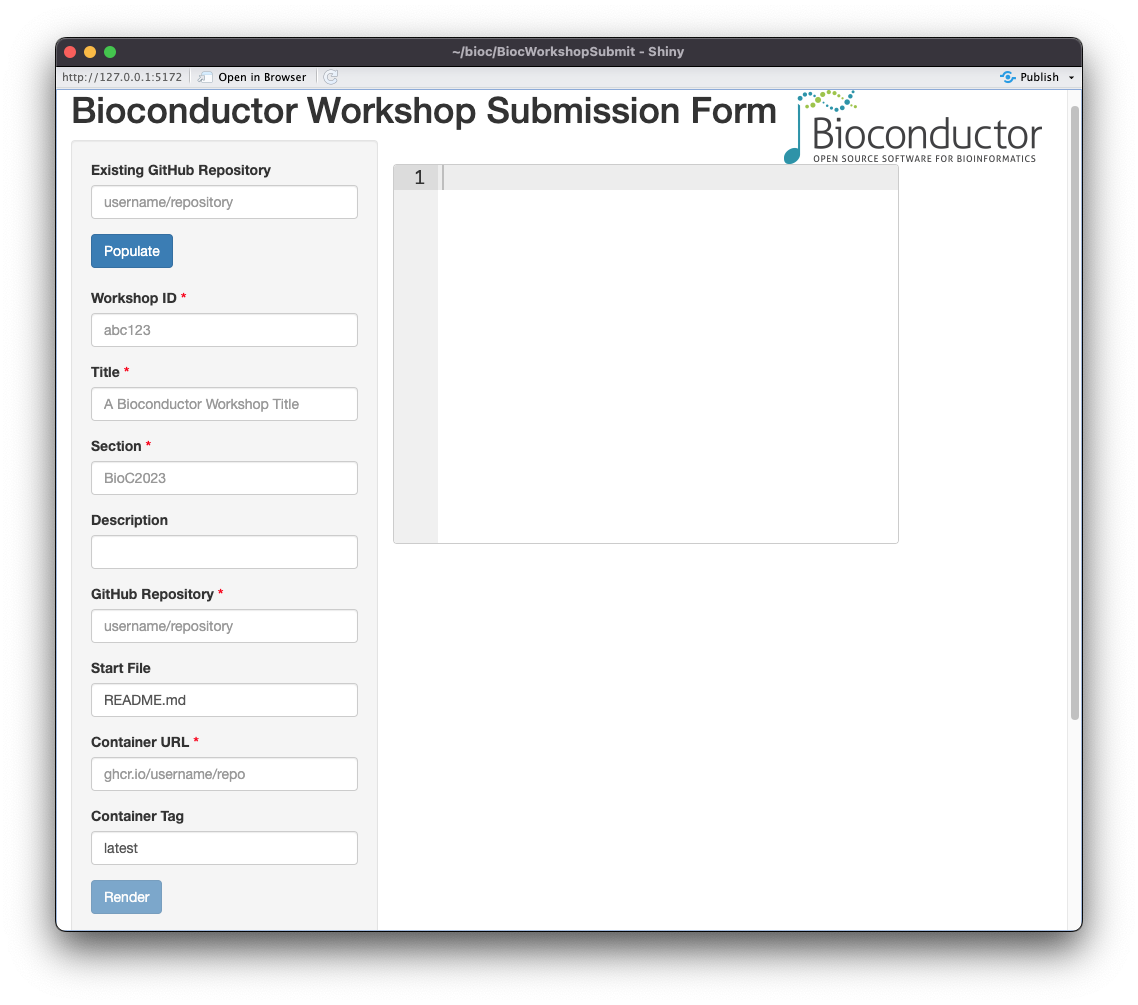
The BiocWorkshopSubmit package is a Shiny app that allows users to submit
Bioconductor workshops to the Bioconductor Workshop website via the
workshop contributions repository on GitHub. The app is designed to be
used as a standalone local app with a particular setup.
The package is only available on GitHub and can be installed with the following command:
if (!require("BiocManager", quietly = TRUE))
    install.packages("BiocManager")

BiocManager::install("Bioconductor/BiocWorkshopSubmit")
Workshop submitters should model their workshop as packages. There are a
few key files that are required for a smooth workshop experience. These
include a DESCRIPTION file, a Dockerfile, and vignettes. Note that
the Dockerfile will be provided by the BuildABiocWorkshop template.
DESCRIPTION fileThe DESCRIPTION file will indicate the packages and the version of R needed
for the workshop. It should also contain some key information about the
workshop, such as the title, description, and URL to the workshop repository.
Note. The URL can point to either a container hosted by Docker (docker.io)
or by the GitHub Container Registry (ghcr.io), e.g.,
ghcr.io/organization/repository. The URL can also be seen at the built
container page on GitHub, e.g.,
https://github.com/organization/repository/pkgs/container/repository
where organization and repository are placeholders for the organization and
repository / container names, respectively.
DockerfileThe BuildABiocWorkshop is the recommended way to add a template
Dockerfile to a workshop. The Dockerfile, in conjunction with the provided
GitHub Actions (GHA), is used to build the container and host it on the GitHub
Container Registry (as set by the REGISTRY environment variable in the GHA).
Note. Once the container is built, the workshop should be tested locally to ensure that it works as expected. The workshop should be tested, preferably on the latest release version Bioconductor and the appropriate version of R.
The workshop should contain vignettes that will be used as the workshop
content. As with package vignettes, the vignettes should be placed in the
vignettes directory of the workshop repository.
The app will create a GitHub issue in the the workshop-contributions
repository. Submitters should generate a fine-grained personal access
token via GitHub https://github.com/settings/tokens. The token should
have the public_repo scope. The token should be saved with
gitcreds::gitcreds_set(). Once the token is saved, the app will use it
to create the issue.
BiocWorkshopSubmit UsageThe app can be launched with the following command:
BiocWorkshopSubmit::BiocWorkshopSubmit()
The app will prompt the presenter to submit the following information:
tidybioc2023.Bioc2023).latest).The workshop presenter will be able to auto-populate the fields in the
app by clicking the Populate button. The app will use the
DESCRIPTION file on GitHub to update the fields in the app.
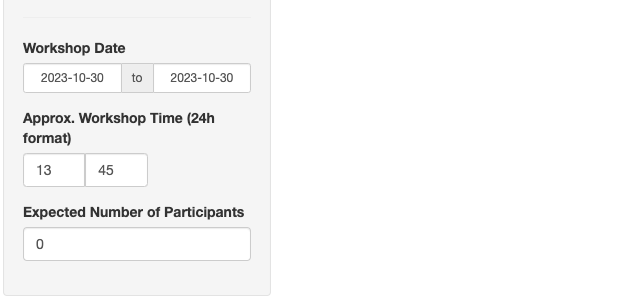
Workshop presenters can also provide additional information regarding the size, start time, and date of the workshop. This information will be used to allocate resources for the workshop on the Bioconductor Workshop website.
The app uses the gh package to submit an API POST request to create the issue
in the workshop contributions repository. It is recommended to add a
fine-grained personal access GitHub token to the gitcreds package.
The token should have the public_repo scope. The token can be added with the
following command:
gitcreds::gitcreds_set()
It is also recommended to use services such as keychain on MacOS and
seahorse / Passwords and Keys on Ubuntu for encrypted key storage.
After the details of the workshop have been entered, the submitter can click on
the Render button to generate the text needed for the workshop issue
submission at contributions repository. The text will be displayed on the
right-hand side of the app. If all the details look correct, the workshop
presenter can click the red Create Issue button to submit the workshop. The
app will then create a GitHub issue in the workshop-contributions repository
with the details of the workshop. Please monitor the issue for any comments from
the Bioconductor team.
Thank you for your contribution to the Bioconductor Workshop website!
The following workshops have been submitted to the Bioconductor Workshop:
Feel free to refer to these workshops as examples of how to structure the workshop package for submission to the Bioconductor Workshop website.